
What is a toolbox talk?
A toolbox talk is a short meeting in which you discuss one topic directly related to the work. Think of working at height, lifting, heat or handling hazardous substances. A session usually lasts about fifteen minutes and takes place where the work is done.
The aim is not to explain everything, but to land one message and keep the conversation about safety going.
A toolbox differs from formal training. It is not an exam, but a moment of attention, conversation and agreements. That low threshold is exactly what makes it suitable for a fixed place in the weekly schedule.
How often should you hold one?
There is no fixed rule that applies to every organisation. Many companies choose a set rhythm, for example monthly, and add an extra session after an incident or at the start of a new project. Make the rhythm achievable: a toolbox that actually happens beats an ambitious schedule that fades away.
Also look at what clients, your management system or your certification ask of you. Anyone working with VCA or ISO 45001 wants to show that employees are instructed regularly and involved.
An example of a rhythm: a fixed toolbox on the first Tuesday of the month, supplemented by a short session after an incident. A fixed day prevents having to schedule it from scratch every time.
Choosing topics
The best topics come from your own practice. Use incidents and near misses, inspection findings, the risk assessment and the work planned for the coming weeks. That way the toolbox matches what people actually encounter. Deliberately alternate between topics that affect all employees and topics for one role or project, so that nobody feels it is not about their work.
Ask employees themselves for topics. They see risks that go unnoticed in the office, and a topic they suggest themselves gets more attention in the session.
- Recurring incidents or near misses
- Findings from workplace inspections
- Seasonal risks such as heat, slippery surfaces or darkness
- New machines, substances or working methods
- Topics from the risk assessment or task risk analysis
- Rule changes or new client requirements
Making it interactive
A toolbox where one person reads aloud for fifteen minutes rarely sticks. Let participants think along: ask about their experiences, let them assess a situation from the work floor or ask what they would do. Use photos of your own situations, because everyone recognises those.
Finish with a few short questions to check the core was understood, and agree what will be done differently in the coming days. A quiz on phones makes it livelier and shows straight away which parts did not come across well.
Choose a presenter who is close to the work floor, such as a foreman or site supervisor. A colleague often has more authority in the conversation than someone from outside.
Recording attendance
A toolbox that is not recorded cannot be proven. Note the topic, the date, who led the session and who attended. Have participants sign, including external staff and subcontractors, with name and company. A paper attendance list is easily lost, so digitise it as soon as you can and keep it with the project or team.
Also keep track of who still needs to attend and when a repeat is due. Someone who recently completed a toolbox does not need to sit through it again. That keeps the attendance list reliable and defensible in an audit.
How to put it into practice
A good toolbox needs little preparation when you have a fixed way of working. Common mistakes are too many topics in one session, only broadcasting without asking questions and having the attendance list filled in afterwards.
Afterwards, ask a few participants what stuck. That tells you more than an evaluation form.
Make it easy for the presenter. A short guide with the core message, two questions and a photo is enough for a session to go well, even if the presenter is not an experienced speaker. Let presenters ask each other for tips now and then, so the quality of the sessions grows.
- Choose one topic and formulate one core message
- Find your own example or photo from practice
- Prepare two or three questions to start the conversation
- Give the session at the workplace and keep it short
- Have everyone sign during or right after the session
- Note agreements and action points from the conversation
- Schedule the next toolbox and the repeat
Managing toolbox talks with BrydgeOne
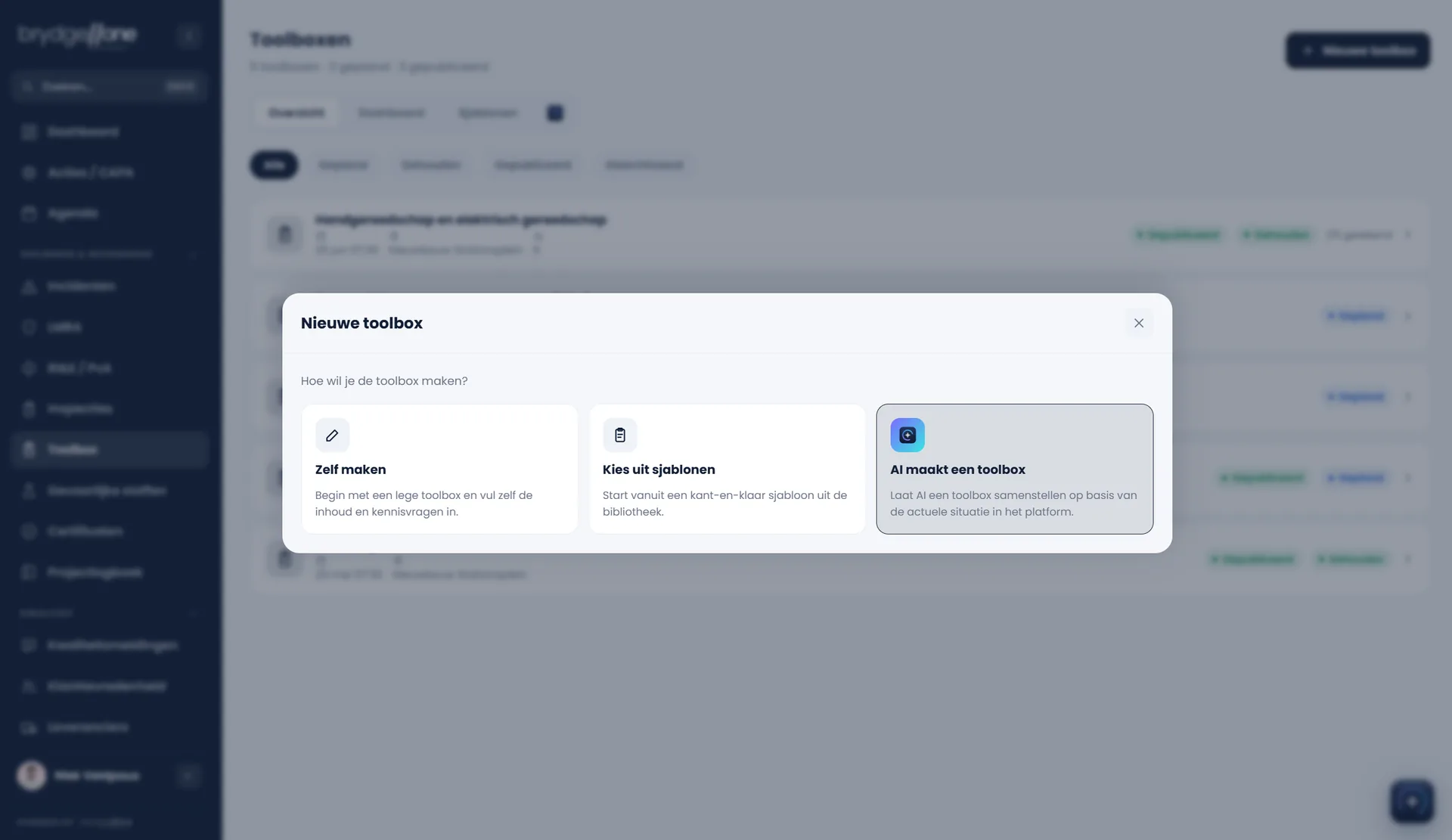
With the Toolbox talks module you create a toolbox yourself, from the library or with AI as a starting point, and roll it out per project, team or the whole organisation. Each project leader or team lead gets their own assignment and picks the moment. You deliver the talk as a presentation with a live quiz on participants' phones, or employees follow it on their own in the app.
Participants sign via the registration QR code, a signing card in the app or on the presenter's device, and external participants enter name and role or company. Anyone who has already completed the talk only returns to the attendance list once the repeat frequency has passed. With the counts as training option, every signed participant is added to the training register automatically.
© 2026 BrydgeOne. General information, not legal or other professional advice. No rights can be derived from this article.